Editable Obituary Template for Mother or Father (Download & Customize)

Editable Obituary Template for Mother or Father

Writing an obituary for your mother or father can feel overwhelming during a time of loss. Our editable obituary templates provide a thoughtful way to share their story, pay tribute to their life, and inform loved ones about memorial service details.

Why Use an Editable Obituary Template?

An editable obituary template saves you time and effort while ensuring the final result is meaningful and professionally formatted. With our Word and online versions, you can:

  • Customize every detail – name, dates, life story
  • Format the text cleanly and respectfully
  • Download and print or post online

Perfect for newspaper submissions, memorial service handouts, or online remembrance pages.

Template Structure (Example for Father)

Here’s a sample layout included in our editable obituary:

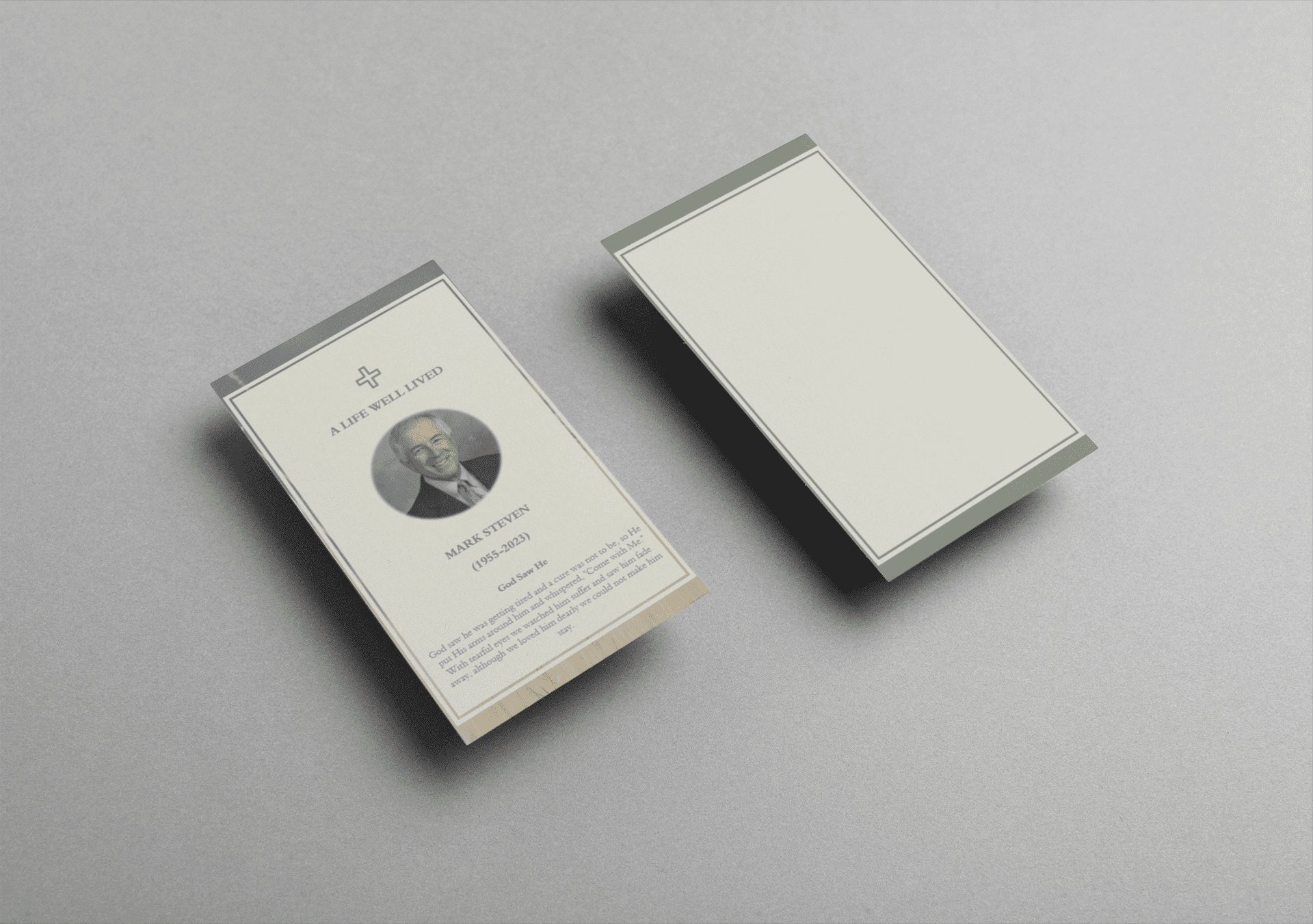
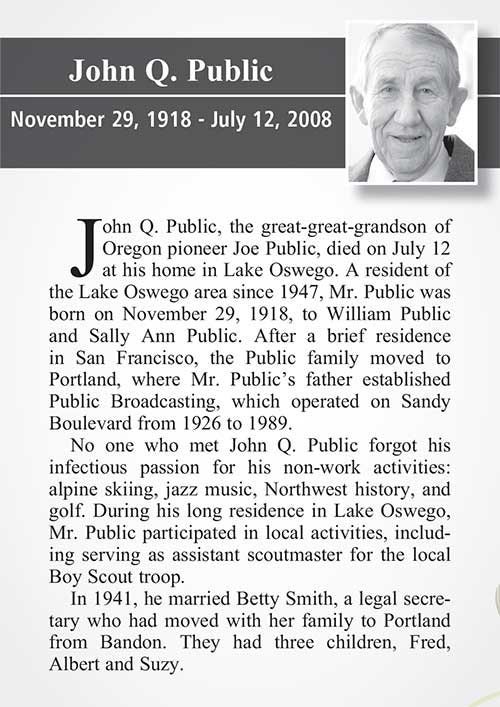
Johnathan “John” Smith, 72, of Houston, Texas, passed away peacefully on June 10, 2025. He was a devoted husband, father, and friend to many. A retired firefighter, John dedicated 35 years to protecting and serving his community…

Sections you can edit:

  • Full name, age, location, date of death
  • Career highlights and community service
  • Family members and survivors
  • Funeral/memorial service details
  • Personal notes or favorite quotes

Template Structure (Example for Mother)

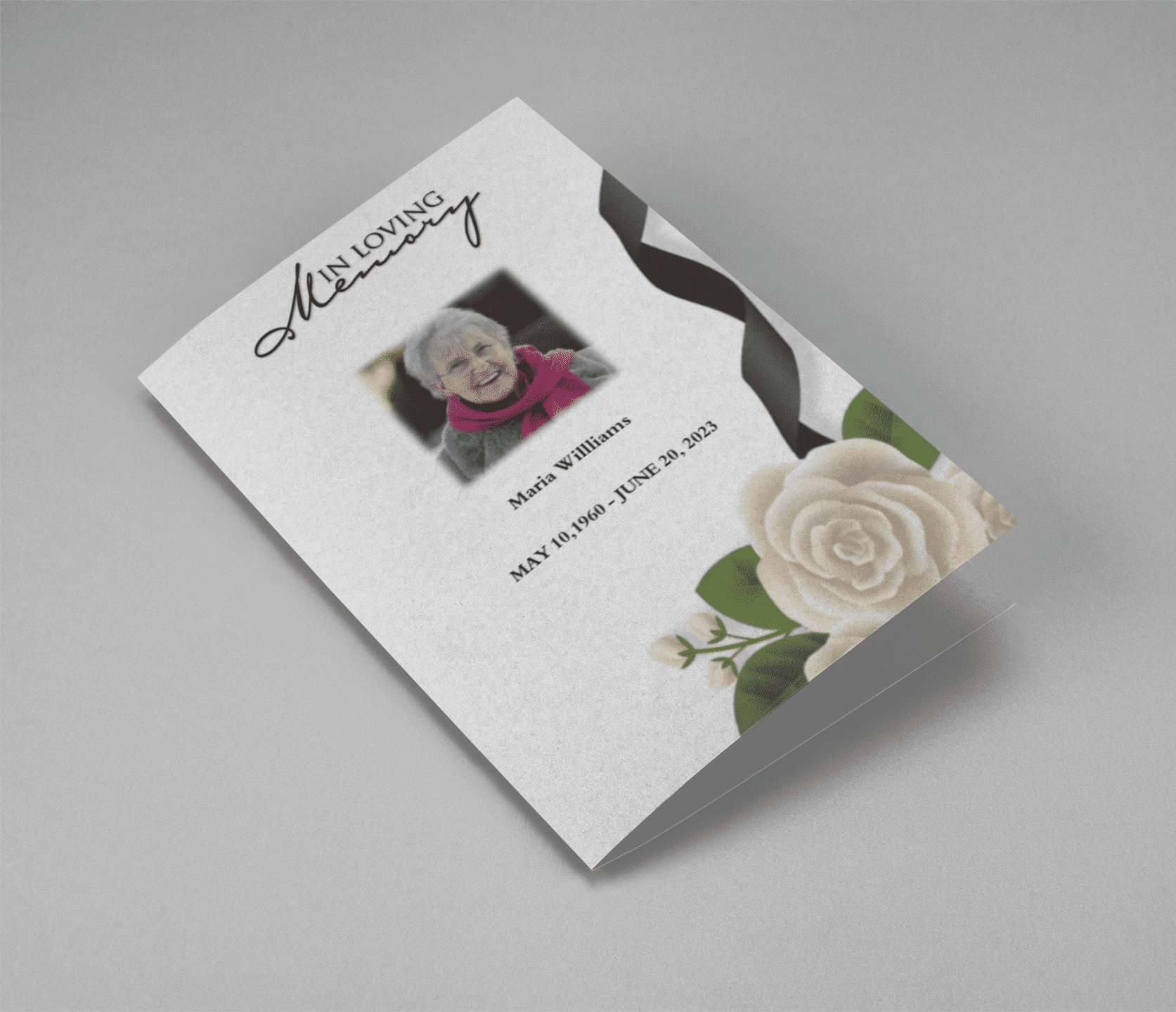
Mary Louise Patel, 68, of Chicago, Illinois, passed away surrounded by loved ones on May 28, 2025. She will be remembered for her kindness, creativity, and unwavering dedication to her family…

Each template is formatted for clarity and warmth, ensuring your tribute feels personal and sincere.

How to Use the Template

You can start right away:

  1. Download the Word or PDF version
  2. Edit the text in your preferred language and tone
  3. Save and use in your funeral program, email, or online memorial

Need help writing? Use our obituary examples or free obituary generator tool.

Download the Editable Obituary Template

Get started by downloading your free editable obituary template for:

Or explore all obituary template options to find the one that best honors your loved one.

Obituary Template – Tips, Examples, and Free Templates

Obituary Template – Tips, Examples, and Free Templates

Writing an obituary during a time of grief can be overwhelming. That’s why having a well-crafted obituary template can make a world of difference. Whether you’re writing for a loved one or preparing your own, this guide provides professional tips, meaningful examples, and free downloadable templates to help you create a tribute that truly honors a life well lived.

What Is an Obituary Template?

An obituary template is a pre-structured document that simplifies the writing process. It includes key elements such as the name, age, date of death, surviving family members, funeral details, and a brief life story. Templates help maintain consistency and ensure no important details are missed.

Why Use an Obituary Template?

  • ✔️ Saves time during emotional moments
  • ✔️ Ensures all vital information is included
  • ✔️ Maintains a respectful, professional tone
  • ✔️ Offers customizable sections for personal touch

Tips for Writing a Meaningful Obituary

  1. Start with basic facts: Full name, age, location, date of death.
  2. Add personal milestones: Career, achievements, passions.
  3. Include family details: Surviving and predeceased relatives.
  4. Mention funeral/memorial service: Date, time, location.
  5. Keep it personal: A short anecdote or favorite saying can add warmth.

Free Obituary Template (Word & PDF)

Download a ready-to-edit obituary template in both Word and PDF formats. Customize it to suit your family’s tone and traditions.

Click here to download your free obituary template »

Sample Obituary Template

“John Smith, age 78, of Austin, Texas passed away peacefully on March 10, 2024. A dedicated husband, loving father, and cherished friend, John’s legacy lives on in the many lives he touched…”

Want more samples and formats? Visit our page on Free Obituary Templates for editable versions and inspiration.

Conclusion

Using a structured obituary template makes the process easier and ensures your message is clear and heartfelt. Whether you need a traditional style or a modern version, we provide templates that honor and celebrate life.

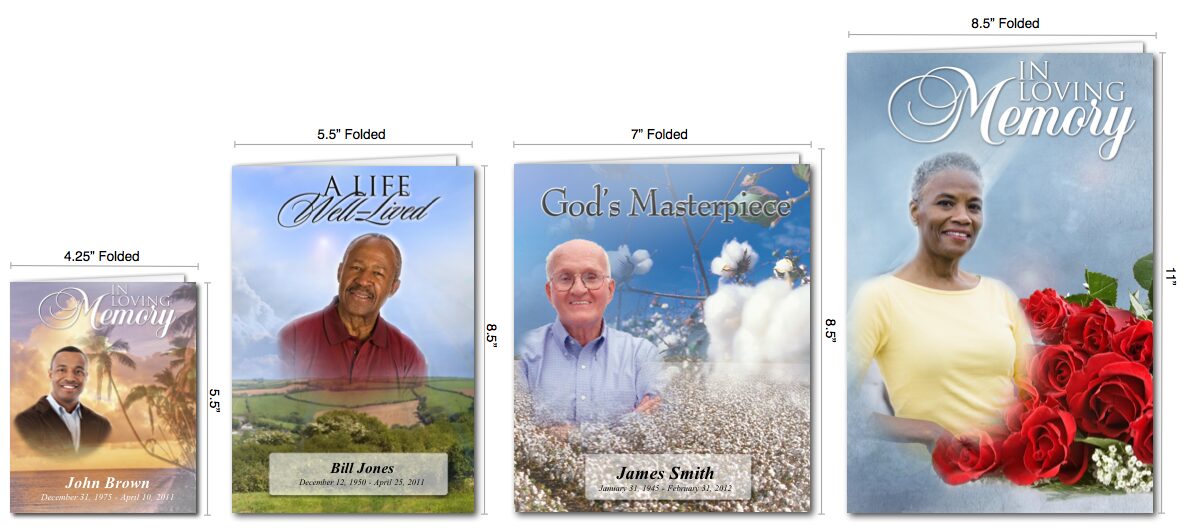
Obituary Templates available in different sizes

Free Obituary Templates, Examples & Condolence Messages

How to Create a Meaningful Obituary: Free Templates, Examples, and Condolence Messages

Discover free obituary templates, simple obituary examples, and heartfelt condolence messages to honor your loved one. Download editable Word and PDF templates today.

Introduction: Honoring a Loved One with a Thoughtful Obituary

Losing someone dear is never easy, and creating an obituary or sharing a condolence message can feel overwhelming. Whether you’re looking for a free obituary template, simple obituary examples, or the right words to express my condolences, this guide is here to help. We’ve compiled resources, including downloadable funeral program templates and tips on how to make an obituary, to support you during this difficult time.

Why Create an Obituary?

An obituary is more than a notice—it’s a celebration of a person’s life. It shares their story, legacy, and impact with family, friends, and communities. Using an obituary template or referencing an obituary example can make the process easier, ensuring you craft a tribute that feels personal and meaningful.

Free Obituary Templates to Get Started

To simplify the process, we offer a variety of free obituary templates in multiple formats:

  • Free obituary template Word: Fully editable for quick customization.
  • Free editable funeral program template PDF: Professional designs ready to print.
  • Funeral program template Word free download: Perfect for creating a complete memorial program.
  • Obituary in Spanish: Templates tailored for Spanish-speaking communities.

Our obituary maker tool also lets you create a polished obituary in minutes, even if you’re starting from scratch. For those exploring modern options, AI obituary tools can generate drafts based on your input, which you can personalize further.

Simple Obituary Examples for Inspiration

Not sure where to begin? Here are simple obituary examples to guide you:

Example 1: Short and Sweet
“John A. Smith, 78, of Chicago, passed away peacefully on April 10, 2025. A loving father and grandfather, John enjoyed gardening and storytelling. He is survived by his daughter, Emily, and grandson, Liam. A memorial service will be held on April 20 at Sunset Funeral Home.”

Example 2: Detailed Tribute
“Maria Elena Garcia, 65, of Miami, passed away on April 5, 2025, surrounded by family. Born in Havana, Cuba, Maria was a passionate teacher and community volunteer. She leaves behind her husband, Carlos, two sons, and five grandchildren. Services will be held at St. Mary’s Church on April 18.”

For more obituary examples, including creative and cultural variations, check out our Obituary Examples Gallery.

How to Make an Obituary: Step-by-Step Guide

Creating an obituary doesn’t have to be daunting. Follow these steps:

  1. Gather Information: Include the deceased’s name, age, date of passing, and key life details (e.g., career, hobbies).
  2. Choose a Format: Use a free obituary template or start with an example of obituary for structure.
  3. Write with Heart: Share personal anecdotes or qualities that made them special.
  4. Include Service Details: Mention funeral or memorial plans.
  5. Proofread and Share: Ensure accuracy before publishing or printing.

Need help? Our obituary templates and funeral program templates streamline the process, saving you time and stress.

Heartfelt Condolence Messages to Share

Expressing sympathy is a meaningful way to support those grieving. Here are examples of condolence messages for different situations:

  • Short Condolence Message: “My deepest condolences to you and your family. May you find peace in cherished memories.”
  • Formal Condolence: “Please accept my condolences on the loss of your loved one. Their legacy will live on in our hearts.”
  • Personalized Message: “My heart aches for you. [Name] was a light in this world, and I’m here for you always.”

For more ideas, explore our Condolence Message Guide, featuring my deepest condolences messages and tips for writing condolences messages that resonate.

Additional Resources: Eulogy Templates and More

Beyond obituaries, you may need to prepare a eulogy. Our eulogy template offers a framework to craft a heartfelt speech. Visit our Eulogy Resources Page for downloadable templates and tips.

Conclusion: Create a Lasting Tribute Today

Honoring a loved one starts with the right tools and words. Download our free obituary template, explore simple obituary examples, or share a condolence message to connect with those who are grieving. At [Your Site Name], we’re here to help you every step of the way.

funeral card prayers

How to Write a Meaningful Obituary Using Free Templates and Funeral Programmes

Creating an obituary can be an overwhelming process, especially when trying to balance emotional expression with the necessary details. Using a template of an obituary can simplify the task, allowing you to craft a heartfelt tribute without missing any essential elements. In this article, we will guide you through using a free obituary template, provide information on funeral programmes, and help you find the right funeral home program templates.

Why Use an Obituary Template?

An obituary template serves as a guide, ensuring that the obituary includes all the necessary information while giving you the flexibility to personalize it. Whether you need a traditional or modern approach, these templates provide the structure to create a memorable tribute.

Here’s a reliable template of obituary that you can use to get started: Obituary Template.

How to Write an Obituary

An obituary is a final way to honor the life of your loved one. Using a template of obituary or free obituary template ensures that you cover the essential aspects, such as:

  1. Personal Information – Full name, age, and date of death.
  2. Birth and Life Events – Include where the deceased was born and their major life milestones.
  3. Family Members – List the close family members, including those who predeceased and those surviving.
  4. Occupation or Passions – Mention the person’s career, hobbies, and contributions to their community.
  5. Funeral Details – Include the date, time, and location of the memorial or funeral service.

To view different formats of an obituary template, you can explore this link: Free Obituary Template.

Funeral Programmes: Honoring a Loved One’s Legacy

In addition to an obituary, a funeral programme helps guide attendees through the funeral or memorial service. These programmes are often keepsakes that include a timeline of the service, readings, prayers, and images. If you are unfamiliar with the format, check out these funeral programmes for inspiration: Funeral Program Examples.

Types of Funeral Memorial Program Templates

When planning a funeral, using a funeral memorial program template can help ensure the service runs smoothly. Templates make it easy to organize information like the order of service, music selections, and personal messages.

Explore a range of options here: Funeral Memorial Program Template.

Finding the Right Template for Funeral Home Programs

Many families opt to create custom funeral programs that are shared at the service. A funeral home program template offers a structured format for including essential details like the schedule, speakers, and special notes about the deceased.

Browse available funeral home programs templates to get started: Funeral Home Program Template.

Free Obituary Templates for Every Need

If you’re seeking a no-cost option, consider using an obituary free template. These templates are designed to be both comprehensive and easy to use, ensuring you don’t overlook any critical details while crafting a meaningful obituary.

Access free obituary templates here: Obituary Free Template.

The Benefits of Using Obituary Templates

Using an obituary template offers several advantages:

  • Ease of Use: These templates simplify the process, making it easier to create an obituary during a difficult time.
  • Time-Saving: With the structure already in place, you can focus on personalizing the obituary without worrying about formatting.
  • Professional Presentation: Templates ensure that the obituary looks polished, whether it’s shared online or printed in a newspaper.

For more examples, check out these free obituary templates: Obituary Templates Free.

Crafting an obituary doesn’t have to be a daunting task. By utilizing resources like a template of obituary or funeral home programs templates, you can create a thoughtful, well-organized tribute that honors your loved one’s life.

Whether you’re looking for a funeral memorial program template or a free obituary template, these tools help guide you through the process with ease. Start your journey by exploring the templates provided here: Obituary Template.

This will ensure that the tribute you create reflects the individuality of the person you’re memorializing while also offering comfort to family and friends.

Sample Obituaries and Templates

Sample obituaries offer a helpful starting point, providing structure and inspiration during a difficult time. Whether you’re looking for a simple obituary sample, multiple obituaries samples, or a free sample obituary template, this guide will provide the resources and advice to help you create the perfect tribute.

Writing an obituary can be one of the most important tasks when honoring a loved one’s life. It serves as a final farewell and a way to celebrate their legacy. Sample obituaries offer a helpful starting point, providing structure and inspiration during a difficult time. Whether you’re looking for a simple obituary sample, multiple obituaries samples, or a free sample obituary template, this guide will provide the resources and advice to help you create the perfect tribute.

In this article, you’ll find various obituary sample formats, along with tips on how to personalize them to reflect your loved one’s unique story.


What is a Sample Obituary?

A sample obituary is a pre-written example that helps guide you in creating an obituary. These templates can be customized to include key details such as the deceased’s name, age, family members, accomplishments, and funeral service details. Whether you need a brief or detailed obituary sample format, using samples can help you get started quickly and confidently.

Explore our sample obituaries for inspiration and guidance.


Benefits of Using Sample Obituaries

Using sample obituaries comes with several benefits:

  1. Provides Structure: Obituary templates give you a clear structure, ensuring that all necessary details are included. This is especially useful if you’re not sure where to start.
  2. Saves Time: Writing an obituary from scratch can be time-consuming. A free sample obituary template speeds up the process, giving you more time to focus on personalizing the content.
  3. Reduces Stress: During a time of grief, it can be challenging to focus on writing. Using a sample removes the pressure of having to come up with the right words and allows you to simply fill in the blanks with relevant information.
  4. Ensures Completeness: By following a sample obituary format, you won’t forget important details like service times, family acknowledgments, and personal achievements.

You can view various obituaries samples to see how they can help you craft a thoughtful and complete obituary.


Types of Sample Obituaries

There are several types of obituary sample formats you can choose from, depending on your needs and preferences. Here are a few common examples:

  1. Traditional Obituary Sample:
    • Includes the full name of the deceased, date of birth, date of passing, family members, and funeral details.
    • Example: “John Doe, 85, passed away peacefully on [Date]. He was a beloved husband, father, and grandfather, survived by [family members]. A service will be held at [Location] on [Date].”
  2. Short Obituary Sample:
    • Focuses on key details and is often used in newspapers with space limitations.
    • Example: “[Name], age [Age], of [City], passed away on [Date]. Services will be held at [Location].”
  3. Personalized Obituary Sample:
    • Highlights personal stories, achievements, and the character of the deceased.
    • Example: “Jane Doe was not just a mother; she was an artist, traveler, and the heart of her community. Her passion for [Hobby] brought joy to everyone around her.”
  4. Military Obituary Sample:
    • Designed to honor veterans and military personnel, featuring their service details.
    • Example: “Captain [Name], a proud veteran of the U.S. Navy, passed away at the age of [Age]. His dedication to his country was unmatched, serving for over [Years].”

For more examples of each type, visit our free sample obituary template page.


How to Choose the Right Obituary Sample Format

Choosing the right obituary sample format depends on several factors:

  1. Length and Detail: Determine whether you want a brief or detailed obituary. If you’re submitting it to a newspaper, you may need to stick to a word count, but for online memorials, there is usually more freedom.
  2. Tone: Consider how formal or informal the tone should be. Traditional formats are typically more formal, while personalized obituaries may be more casual and storytelling in nature.
  3. Audience: Think about who will be reading the obituary. For example, if the deceased was involved in a specific community (such as military or religious communities), you may want to include specific references to reflect that part of their life.
  4. Customization: Most obituary samples are flexible, allowing you to personalize them with unique details about the deceased. Ensure that the sample you choose allows room for this personalization.

Tips for Using Sample Obituaries

Here are a few tips to keep in mind when using sample obituaries:

  1. Start with Basic Information: Always begin with the essential details like name, age, date of passing, and funeral service information. Once that is covered, you can move on to more personal aspects.
  2. Personalize Thoughtfully: Use the sample as a foundation, but make sure to add unique details that reflect the deceased’s personality, hobbies, and legacy. Mention key milestones, special relationships, and any passions that made them who they were.
  3. Be Mindful of Length: If you’re submitting the obituary to a newspaper, there may be word count limits. Ensure that your writing is concise while still honoring the person’s life.
  4. Keep It Respectful: While it’s important to capture the person’s spirit, be mindful of the tone. Ensure that the language used is respectful and appropriate for the occasion.
  5. Review for Accuracy: Before submitting or publishing the obituary, double-check all details for accuracy, including names, dates, and locations.

For more guidance, check out our obituaries samples and see how others have crafted thoughtful tributes.


Frequently Asked Questions (FAQs)

What is a sample obituary?
A sample obituary is a template or example that helps guide you in writing an obituary. It provides a structured format for you to follow, making the process easier and less stressful.

Where can I find free sample obituary templates?
You can find free sample obituary templates on various funeral planning websites, including QuickFuneral.com, where you can download and customize them to suit your needs.

Can I customize sample obituaries?
Yes, sample obituaries are meant to be customized. You can add personal anecdotes, adjust the tone, and include specific details that reflect the deceased’s unique life story.

What should be included in an obituary?
An obituary typically includes the deceased’s full name, date of birth, date of death, family members, notable achievements, and details of the funeral or memorial service.

How do I format an obituary sample for a newspaper?
When formatting an obituary for a newspaper, check the publication’s word count limits and guidelines. Keep the obituary concise, including key details like name, age, family, and service times, while following a structured obituary sample format.


celebration of life memorial cards

Simplifying the Process of Honoring Loved Ones

Losing a loved one is an emotional and challenging experience. In such times, it’s important to focus on what truly matters—remembering and honoring the life of the person who has passed away. One way to do this is through a well-crafted obituary. However, writing an obituary from scratch can be daunting, especially when dealing with grief. This is where a free obituary template Word comes in handy. It simplifies the process, allowing you to create a meaningful tribute without the stress of formatting and structuring the content.

Why Use a Free Obituary Template Word?

Creating an obituary involves a lot of thought and detail. It must encapsulate the essence of a person’s life in a few paragraphs, highlighting their achievements, character, and the impact they had on those around them. A free obituary template Word provides a structured format that guides you through the process, ensuring that you include all necessary details.

Using a template also saves time, which is crucial when arrangements need to be made quickly. With a free obituary template Word, you can focus on the content rather than worrying about the layout or design. Moreover, Word templates are easy to use, even for those who may not be tech-savvy, making them accessible to everyone.

Check out our free obituary templates on QuickFuneral.com.

Key Features of a Good Obituary Template

When choosing a free obituary template Word, it’s important to consider the following features:

  1. Editable and Customizable: A good template should be fully editable, allowing you to customize it according to your needs. You should be able to change fonts, colors, and layouts to reflect the personality of the deceased.
  2. Structured Layout: The template should have a clear and structured layout, making it easy to fill in details such as the deceased’s name, date of birth, date of passing, and the obituary text itself.
  3. Space for Photos: Including a photo of your loved one adds a personal touch to the obituary. A good template will have a designated space for one or more photos.
  4. Guidance on Content: Some templates include prompts or suggestions for what to include in each section. This can be helpful if you’re unsure of what to write.
  5. Printable: Ensure that the template is designed to be printed easily, without any issues related to margins or alignment.

At QuickFuneral.com, we offer a variety of free obituary templates that meet all these criteria. Explore our collection here.

How to Use a Free Obituary Template Word

Using a free obituary template Word is simple and straightforward. Here’s a step-by-step guide:

  1. Download the Template: Start by downloading a template that suits your needs. At QuickFuneral.com, we offer a range of styles, from traditional to modern, ensuring you find something that feels right.
  2. Open in Microsoft Word: Once downloaded, open the template in Microsoft Word. This program is widely used and offers a familiar interface for editing the template.
  3. Fill in the Details: Begin by filling in the basic details—name, dates, and locations. Next, move on to the obituary text. You can write a brief biography, mention significant achievements, and include any special messages or quotes.
  4. Customize the Design: Customize the design to reflect the personality of your loved one. You can change the font style, size, and color, or add decorative elements like borders or backgrounds.
  5. Insert Photos: If the template allows, insert one or more photos. A picture can say a thousand words, and including a photo of your loved one can make the obituary even more meaningful.
  6. Review and Print: Once you’ve completed the template, review it for any errors or omissions. When you’re satisfied, print the obituary on high-quality paper. You can also save it as a PDF for sharing digitally.

Get started with our easy-to-use obituary templates.

Related Keywords and Their Importance

When searching for an obituary template, people often use related keywords such as free obituary template, printable obituary template, editable obituary template Word, obituary format in Word, and sample obituary template. These keywords are important because they reflect the different needs and preferences of users looking for obituary templates. By optimizing your search with these related keywords, you can find the perfect template more easily.

For instance, an editable obituary template Word is ideal for those who want to personalize the content and design. A printable obituary template ensures that the layout will look good when printed, while a sample obituary template can provide inspiration if you’re unsure where to start.

At QuickFuneral.com, we offer a wide selection of templates that cater to all these needs. Whether you’re looking for a free obituary template Word or something more specific, we have you covered. Browse our collection today.

Why QuickFuneral.com?

QuickFuneral.com is a trusted source for free obituary templates. We understand the importance of creating a beautiful and meaningful tribute, which is why we offer a variety of templates that are both easy to use and customizable. Our templates are designed to be used with Microsoft Word, ensuring that you can create a professional-looking obituary without any hassle.

Additionally, our templates are available for free, making them accessible to everyone, regardless of budget. We believe that honoring a loved one’s memory should not be a financial burden, which is why we provide high-quality templates at no cost.

Visit QuickFuneral.com to download your free obituary template.


Creating an obituary is a deeply personal task, but it doesn’t have to be overwhelming. With a free obituary template Word, you can create a meaningful and lasting tribute to your loved one without the stress of starting from scratch. These templates provide a structured and customizable format that makes the process easier, allowing you to focus on what truly matters—honoring the life of the person you’ve lost.

Whether you’re looking for a free obituary template, an editable obituary template Word, or a printable obituary template, QuickFuneral.com has a wide selection to choose from. Explore our collection today and find the perfect template to suit your needs.

Remember, an obituary is more than just an announcement of death—it’s a celebration of life. With the right template, you can create a beautiful tribute that will be cherished by friends and family for years to come.

Back to Top
Product has been added to your cart
Compare (0)