Creating a Meaningful and Personalized Funeral Program
Planning a funeral can be an overwhelming and emotional task. A thoughtfully crafted funeral program can help to honor the life and legacy of a loved one, while also providing attendees with a keepsake to remember them by. This guide will walk you through different types of funeral program templates, from memorial service programs to celebration of life templates, and explain how to personalize each one to create a unique tribute.
Whether you’re interested in a printable funeral service program or a DIY funeral program, we’ll provide resources and templates to help you get started.
What Is a Funeral Program?
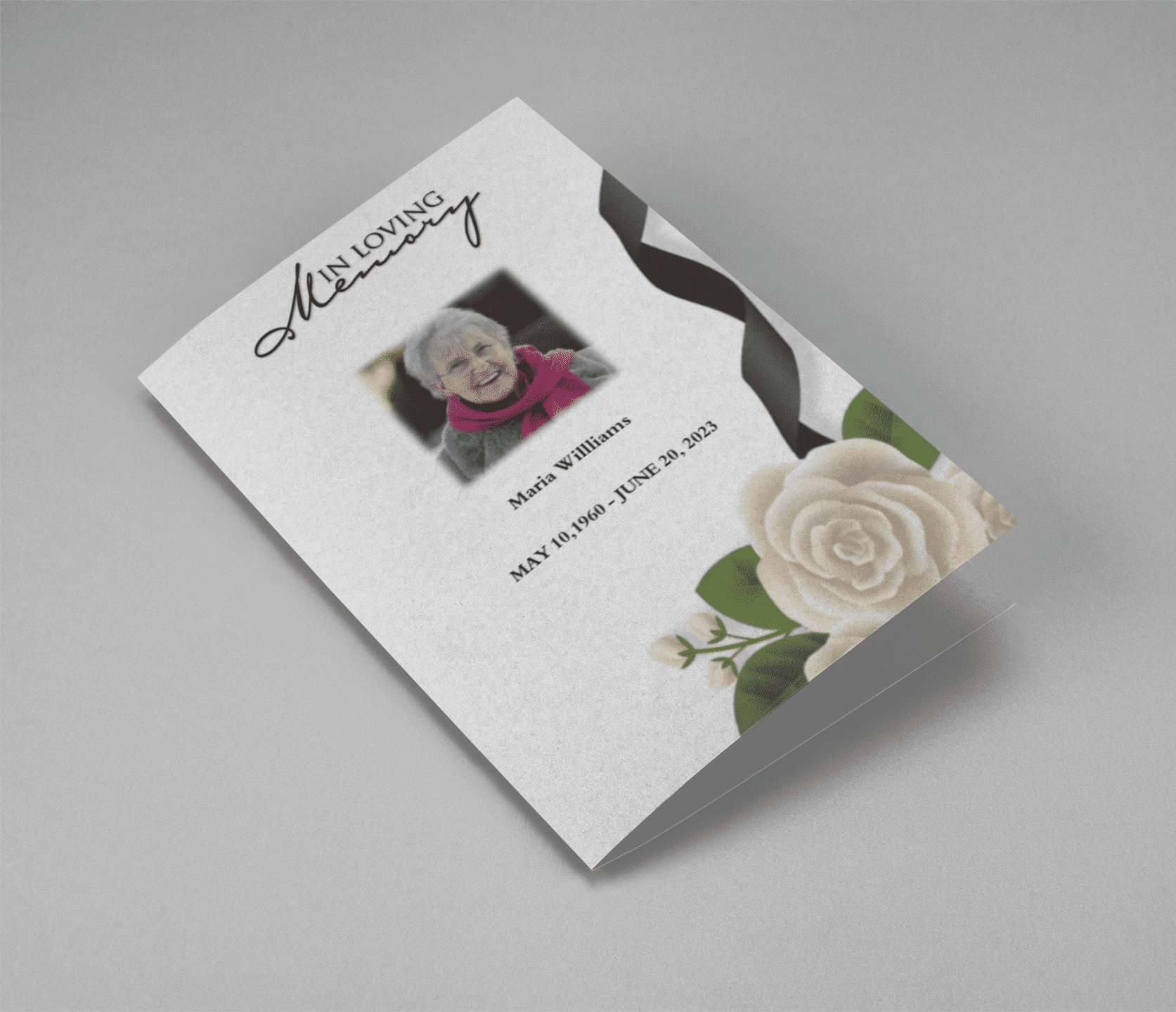
A funeral program is a printed document handed out at funeral or memorial services that provides information about the order of events and shares memories or significant milestones from the life of the deceased. These programs can vary widely in style and content, from simple bi-fold funeral program templates to more elaborate celebration of life program templates.
Explore our order of service program for funeral to get a sense of how you can organize and structure this important document.
Choosing the Right Funeral Program Template
When designing a funeral program, choosing the right template is essential. You want a design that reflects the personality and legacy of the departed while also fitting the tone of the service. Some families prefer a traditional memorial service program, while others opt for a celebration of life program template that highlights joyful memories.
For a straightforward and customizable option, check out our printable funeral service program. This allows you to print as many copies as you need from the comfort of your own home or with a professional printing service.
Key Elements of a Funeral Program
A funeral program typically includes the following elements:
- Cover Page: Featuring a photograph of the deceased, their full name, birth and death dates, and a short phrase or quote.
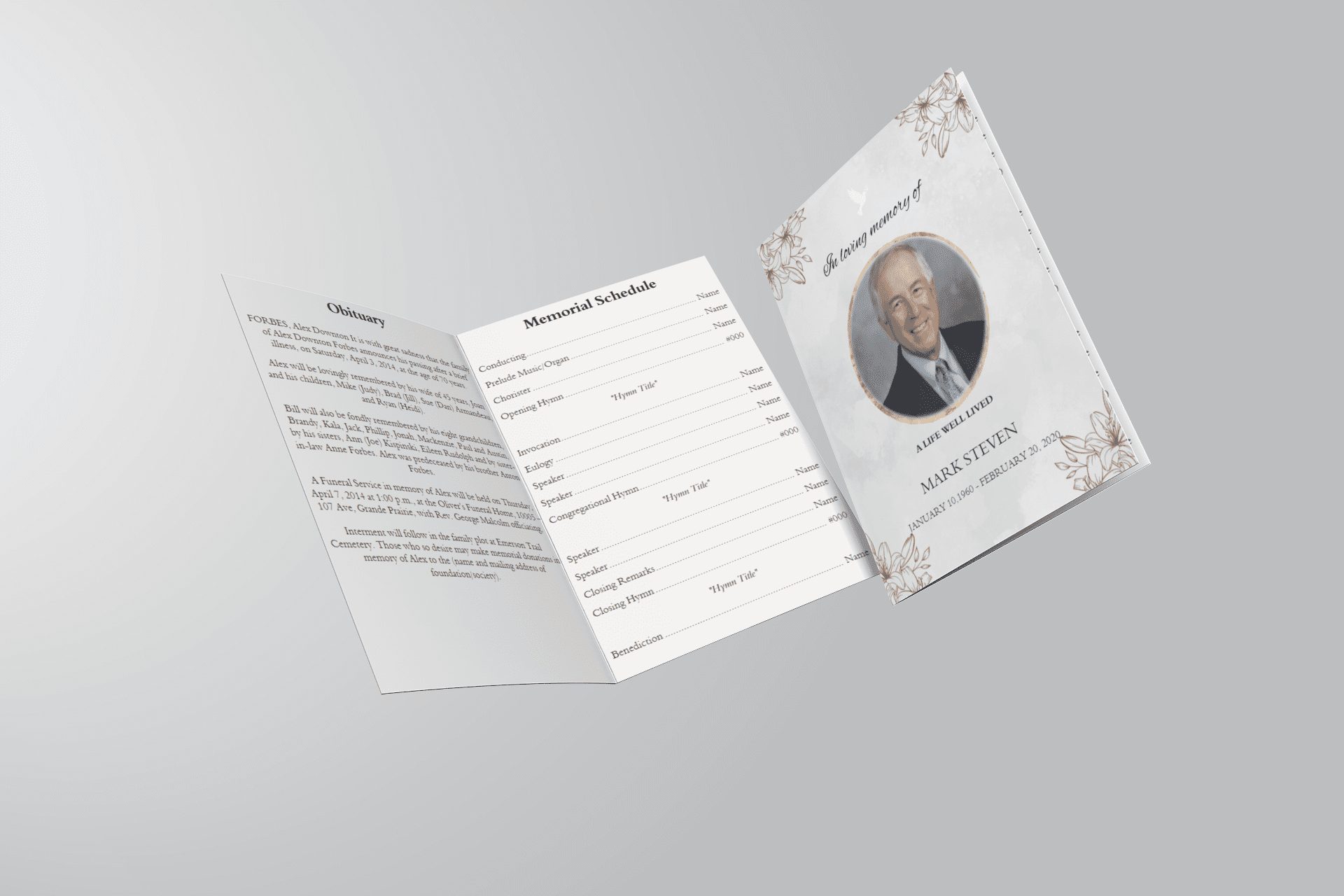
- Order of Service: Details the sequence of events during the ceremony. For a template to guide this section, consider our order of service program for funeral.
- Eulogy or Life Story: Provides a brief biography or highlights special moments in the person’s life. You can use our eulogy program template to structure this section.
- Obituary: A formal statement announcing the death, often including notable achievements, family details, and funeral information. Check out our obituary template for funeral program to craft a heartfelt obituary.
- Acknowledgments: Recognize those who have supported the family or played a role in the person’s life.
- Personal Messages and Memories: Many families choose to add poems, quotes, or special memories shared by family and friends.
Types of Funeral Program Templates
1. Bi-Fold Funeral Program Template
- The bi-fold format is one of the most popular choices due to its simplicity and ease of customization. With two folds, this template provides four panels that can contain all the essential information without overwhelming readers. Explore our bi-fold funeral program template to get started.
2. Celebration of Life Program Template
- A celebration of life service focuses on the positive and joyful aspects of a person’s life. This type of program may include more images, colorful designs, and stories that capture happy memories. Our celebration of life program template offers an ideal starting point.
3. Order of Service Program for Funeral
- An order of service program details the structure of the service, allowing guests to follow along. This can include readings, songs, eulogies, and other elements of the ceremony. Access our order of service program for funeral for a ready-made template.
4. DIY Funeral Program
- If you prefer to create something unique, a DIY funeral program may be the best choice. This allows for complete customization to reflect the deceased’s personality and style. Our DIY funeral program provides helpful resources and inspiration.
Making It Personal
Each person’s life is unique, and the funeral program should reflect that individuality. Here are a few ways to personalize a funeral program:
- Include Favorite Quotes or Sayings: Adding a quote or phrase that was meaningful to the deceased can make the program feel more intimate.
- Use Photos Throughout: Photographs of special moments can add warmth to the program. Consider a funeral pamphlet template like this one that allows you to include multiple images.
- Create a Collage: A photo collage can be an impactful way to celebrate memories. Programs designed for this purpose, such as our printable funeral service program, make it easy to add photos.
Memorial Program Templates and Downloads
We understand that during a time of loss, families may need quick access to materials. Our free memorial program download offers a simple and effective way to create a professional-looking program without added expenses. With easy-to-use templates, you can have a beautifully designed program ready in minutes.
How to Use a Printable Funeral Program Template
Printable templates simplify the process of creating and distributing funeral programs. Here’s a step-by-step guide on using a printable funeral service program:
- Select and Download: Choose a template that best suits your needs, such as our order of memorial service program or funeral pamphlet template.
- Customize with Information: Replace placeholders with personal details, including the person’s name, dates, and any specific elements of the service.
- Add Personal Touches: Insert photos, quotes, and any additional information you’d like guests to remember.
- Print or Share Digitally: Depending on your needs, you can either print the programs yourself, order from a printer, or distribute digitally.
Downloadable and Free Funeral Program Resources
We believe that creating a meaningful tribute should be accessible to everyone, which is why we offer a range of free funeral program templates that are easy to customize and print. You can find options for memorial service program layouts, celebration of life programs, and more.
For those looking for a more elaborate design, our funeral program template download section offers a wide variety of styles and formats.
Frequently Asked Questions
1. Can I use a funeral program template if I’m not tech-savvy?
Absolutely! Our templates are designed to be user-friendly, with simple instructions for customization. If you can edit a Word document, you can create a funeral program with our printable funeral service program.
2. Are these templates compatible with Microsoft Word and Google Docs?
Yes, our templates can be edited in both Microsoft Word and Google Docs. For specific needs, such as a free funeral program template for Google Docs, we offer guides to help you get started.
3. How soon can I access my template after purchase?
Our free memorial program download is available immediately upon selecting your design, allowing you to start personalizing right away.
4. What if I need help designing my program?
Our support team is here to assist you with any questions. Feel free to reach out through our contact page.