Why QuickFuneral.com Is Better Than Canva for Creating Funeral Programs

Looking to Create a Funeral Program? Here’s Why QuickFuneral.com Is the Better Choice Over Canva

When a loved one passes away, every moment counts. Creating a meaningful and respectful funeral program shouldn’t be complicated. While platforms like Canva offer a wide range of design tools, they aren’t always built for the specific needs of creating a funeral or obituary template.

That’s where QuickFuneral.com stands out — offering an easier, faster, and more guided experience for families during difficult times.

✅ Quick Comparison: QuickFuneral.com vs. Canva

Feature QuickFuneral.com Canva
Purpose Built exclusively for funeral & obituary templates General design platform
Ease of Use Beginner-friendly and focused Requires design know-how
Pre-Written Content Offers poems, obituaries, and order of service examples No content guidance available
Print-Ready Files PDF/Word formats, US Letter size, instant download May need adjustments for print margins
No Login Required Yes Requires account sign-up
Funeral Tools Obituary writer, memorial cards, eulogy templates Not available

🌟 Why Families Choose QuickFuneral.com

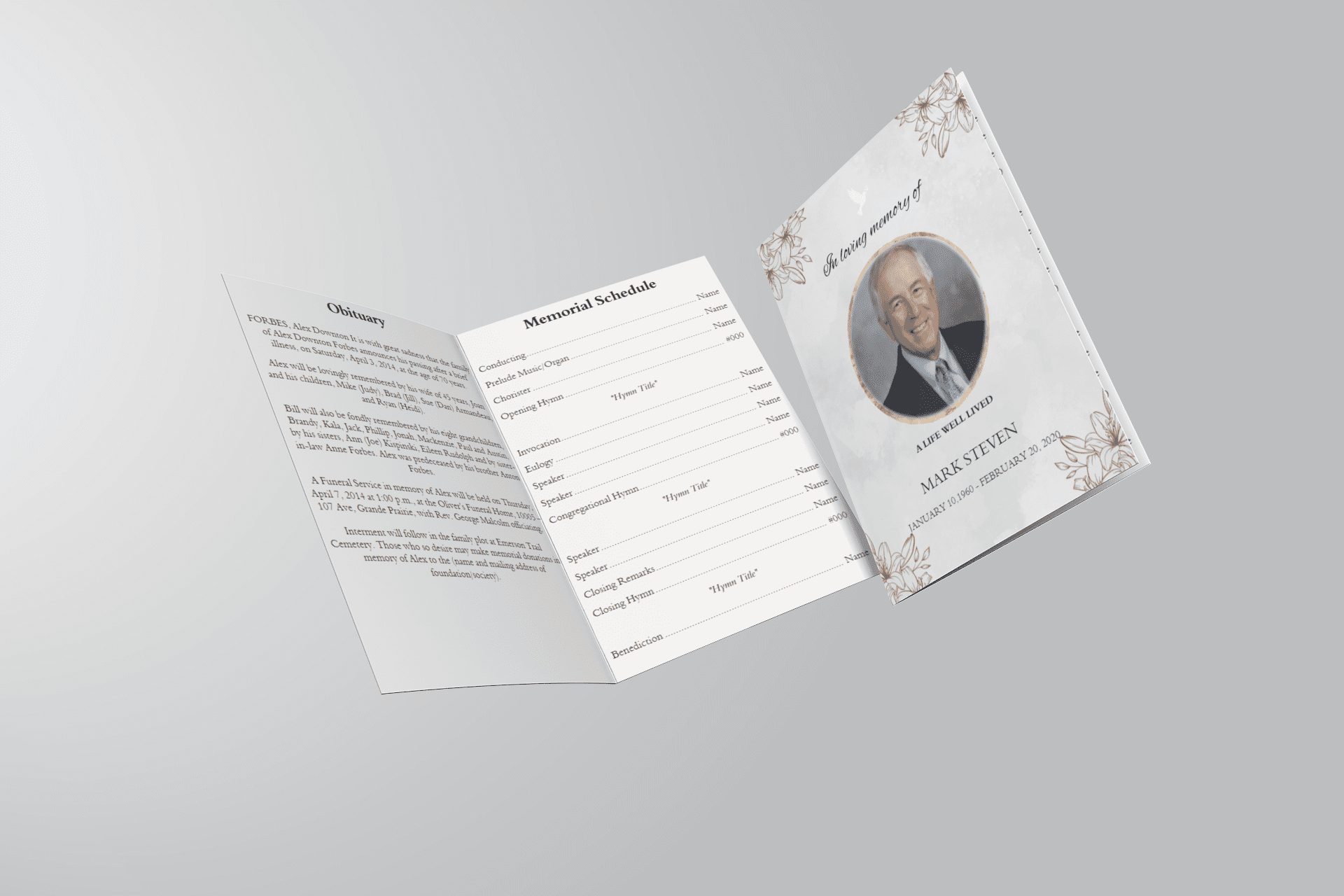
When you visit QuickFuneral.com’s Free Funeral Program Templates, you’ll find a collection of pre-designed, customizable templates made specifically for memorial services. Whether you need a:

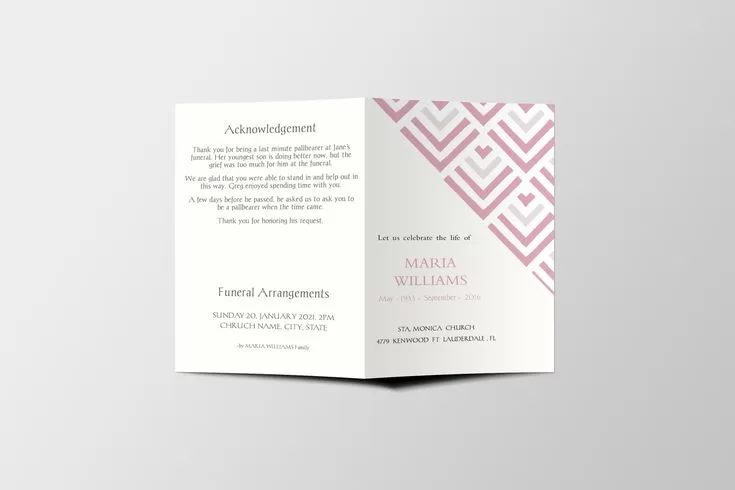
  • Bi-fold funeral program
  • Tri-fold layout
  • Single-page obituary template
  • Prayer or memorial card

…you can get everything done without learning graphic design.

✍️ Not Sure What to Write?

Use their built-in tools like the Obituary Template to guide you step-by-step. You can simply fill in names, dates, and memories — and your printable obituary is ready in minutes.

🕊️ A Stress-Free Solution During Difficult Times

Unlike Canva, which requires you to build everything from scratch (or adjust general templates), QuickFuneral.com is designed with grieving families in mind. No design experience needed. No account required. Just print-ready funeral program templates — fast, respectful, and beautiful.

📥 Start for Free

Visit QuickFuneral.com today and explore dozens of free funeral program designs to help you honor your loved one without added stress.

How to Create a Funeral Program That Honors a Life Beautifully

How to Create a Funeral Program That Honors a Life Beautifully

Planning a funeral program is a meaningful way to celebrate the life of a loved one. Whether you are creating a [funeral service program template] or designing a personalized [memorial program template], it’s important to include heartfelt content and thoughtful design.

1. Choose the Right Funeral Program Template

Start by selecting a [free funeral program template] that suits your needs. Consider layout options such as [bi-fold] or [tri-fold], and decide if you need a [funeral program template Word free download] or a printable PDF version.

2. Include Personal Details and Memories

Your [funeral program sample] should include:

  • Full name of the deceased
  • Sunrise and sunset dates
  • Order of service
  • Obituary or life sketch
  • Poems, scriptures, and photos

These elements can be beautifully arranged using a [memorial service program template].

3. Use Editable Templates for Convenience

Save time and effort with [funeral program editable template] options. These let you easily update the content using Word or PDF editors, making last-minute changes stress-free.

4. Make It Printable and Shareable

Download your finalized program in high resolution from our [free funeral program templates download] section and print at home or a local print shop.

5. Find More Free Resources

We offer a wide range of:

  • [Obituary program templates]
  • [Funeral flyer templates free]
  • [Memorial service program examples]
  • [Free editable funeral program template PDF]

These are ideal whether you’re planning a [home going service template] or a [celebration of life program template free].

Conclusion

Creating a funeral program doesn’t have to be overwhelming. Use our [funeral templates free download] to simplify the process and honor your loved one’s memory with grace.

→ Explore Free Funeral Program Templates

funeral program template

Crafting the Perfect Funeral Program Template: A Step-by-Step Guide

Losing a loved one is never easy, and planning a memorial service can feel overwhelming. One meaningful way to honor their memory is by creating a thoughtful and personalized funeral program. At QuickFuneral.com, we believe that a well-designed funeral program template can serve as both a keepsake and a guide for attendees. In this post, we’ll walk you through how to craft the perfect funeral program template, with tips and resources to make the process simple and heartfelt.

Why Use a Funeral Program Template?

A funeral program template is a pre-designed layout that helps you organize key details about the service while adding personal touches. It saves time, reduces stress, and ensures a polished result. Whether you’re looking for a simple design or something more elaborate, templates offer flexibility. At QuickFuneral.com, we provide a wide range of options, from free funeral program templates to fully customizable designs you can tailor to your needs.

Step 1: Choose the Right Template Size and Style

The first step is deciding on the size and style that suits your vision. Common options include:

  • Letter Size (8.5 x 11 inches): Ideal for a detailed program, this standard size is easy to print at home or through a service like Staples. Check out our letter-sized funeral program templates for inspiration.
  • Half-Page (8.5 x 5.5 inches): Perfect for concise programs, this size folds neatly and fits well in attendees’ hands.
  • Booklet Style: For larger services, a multi-page booklet allows space for photos, obituaries, and tributes.

Browse our funeral service templates to find a style that reflects your loved one’s personality—whether it’s elegant, modern, or floral-themed.

Step 2: Add Essential Details

A funeral program should include key information to guide guests through the service. Here’s what to include:

  • Name and Dates: Full name, birth date, and passing date of the deceased.
  • Order of Service: List the sequence of events, such as prayers, readings, or musical performances.
  • Funeral Details: Date, time, and location of the service, plus any reception info.
  • Personal Touches: A short obituary, poem, or quote that captures their spirit.

Our editable funeral program templates make it easy to input these details using a drag-and-drop editor—no design skills required!

Step 3: Personalize with Photos and Design Elements

Make the program uniquely yours by adding photos and decorative elements. A cherished photo of your loved one on the cover can set the tone, while background images like flowers or candles add warmth. At QuickFuneral.com, we offer free funeral program background images and ornaments within our custom funeral templates. You can even upload your own images to create a truly personal tribute.

Step 4: Customize and Print

Once your content is ready, it’s time to finalize the design. Use a clean, readable font like Times New Roman or Arial, and ensure the layout is balanced. Our online tools let you preview your work before downloading. Whether you opt for self-printing or professional printing, our printable funeral programs are formatted for ease—compatible with standard printers or services like Staples.

Bonus Tip: Explore Free Resources

If you’re on a budget, start with our free funeral program templates. These downloadable designs are fully editable and come with professional design support if needed. Pair them with free funeral poems or sentiments from our site to craft a program that’s both beautiful and meaningful.

Creating a funeral program doesn’t have to be daunting. With the right funeral program template, you can honor your loved one with dignity and care. At QuickFuneral.com, we’re here to support you every step of the way. Ready to get started? Visit our homepage to explore all our funeral program templates and create a lasting tribute today.

In loving memory cards

Funeral Program Template Word Free Download: Simplify Your Memorial Planning

Planning a funeral is an emotionally challenging task, and the last thing you need is the added stress of designing a funeral program from scratch. Thankfully, with a funeral program template Word free download, you can create a beautiful and professional memorial service program without the hassle. In this blog post, we will guide you through the process of using these templates, their benefits, and where to find the best free funeral program templates.

Why Use a Funeral Program Template?

A funeral program serves as both a tribute to the deceased and a guide for those attending the service. It typically includes the order of service, information about the deceased, and any special messages or poems. Creating this from scratch can be overwhelming, especially when you are grieving. That’s where a funeral program template Word free download comes in handy.

Benefits of Using a Funeral Program Template

  1. Ease of Use: These templates are designed for Microsoft Word, which is widely available and user-friendly. Even if you don’t have advanced design skills, you can easily customize the template to suit your needs.
  2. Time-Saving: Instead of starting from a blank page, a template gives you a head start. You can focus on the content rather than worrying about the layout.
  3. Professional Appearance: A well-designed template ensures that your funeral program looks polished and respectful. You can easily adjust fonts, colors, and images to match the tone of the service.
  4. Cost-Effective: Many free funeral program templates are available online, saving you the cost of hiring a designer or purchasing expensive software.

How to Download and Use a Funeral Program Template in Word

If you’re looking for a funeral program template Word free download, you’re in the right place. Here’s a step-by-step guide on how to download and use these templates.

Step 1: Choose the Right Template

The first step is to find a template that suits the tone and style of the memorial service. Some templates are simple and elegant, while others may be more elaborate with multiple pages and design elements. Websites like QuickFuneral.com offer a wide variety of free funeral program templates that you can download and customize.

Step 2: Download the Template

Once you’ve selected the template that best fits your needs, click on the download link. The template will be downloaded as a Word document (.docx), which you can open in Microsoft Word or any other word processing software that supports this format.

Step 3: Customize the Template

Now that you have your funeral program template, it’s time to customize it. Here’s what you can do:

  • Add Personal Information: Replace the placeholder text with the name of the deceased, date of birth, date of death, and any other relevant details.
  • Order of Service: Fill in the order of service, including hymns, readings, and eulogies.
  • Photos: Add photos of the deceased. Most templates have designated areas for images, making it easy to insert them.
  • Personal Messages: You can include personal messages, poems, or quotes that resonate with the deceased’s life and legacy.
  • Fonts and Colors: Adjust the fonts and colors to match the theme of the funeral service. This could be a favorite color of the deceased or a color that reflects the tone of the service.

Step 4: Review and Print

Before printing, make sure to review the entire document. Check for spelling errors, alignment issues, and ensure all the information is correct. Once you’re satisfied, print the program on high-quality paper. You may also consider taking it to a professional printing service for a more polished finish.

Popular Funeral Program Template Designs

When choosing a funeral program template Word free download, it’s important to select a design that aligns with the personality and legacy of the deceased. Here are some popular designs available on QuickFuneral.com:

  1. Classic and Elegant: This template is perfect for a traditional service. It features a simple design with classic fonts and plenty of space for photos and personal messages.
  2. Modern and Stylish: For a more contemporary service, this template offers a sleek design with bold fonts and modern layouts. It’s ideal for showcasing the personality and accomplishments of the deceased.
  3. Floral Design: A popular choice for many, this template features floral motifs that add a touch of softness and elegance to the funeral program.
  4. Religious Themes: If the service has a religious tone, consider a template with religious symbols and verses. These templates often include crosses, doves, or other spiritual elements.
  5. Photo Collage: This template is designed to showcase multiple photos of the deceased, making it a great choice for families who want to share memories through images.

Related Keywords and Their Importance

While searching for a funeral program template Word free download, you might come across related keywords that are also important to consider. These include:

  • Obituary Templates: Similar to funeral programs, obituary templates help you craft a respectful tribute to the deceased.
  • Memorial Service Programs: These programs provide a detailed outline of the memorial service, including readings, prayers, and tributes.
  • Printable Funeral Programs: If you prefer to have a ready-to-print version, many websites offer printable templates that are easy to download and use.
  • Editable Funeral Program Templates: Editable templates give you the flexibility to customize the content and design according to your needs.

All these keywords are essential in helping you find the right resources to create a meaningful tribute for your loved one.

Why Choose QuickFuneral.com for Funeral Program Templates?

QuickFuneral.com is a trusted source for high-quality, free funeral program templates. Here’s why you should consider using their services:

  1. Wide Variety: From simple and elegant designs to more elaborate ones, QuickFuneral.com offers a wide range of templates to suit different preferences.
  2. User-Friendly: The templates are easy to download and customize, even for those who are not tech-savvy.
  3. Free Resources: The website provides funeral program templates Word free download, saving you time and money during a difficult period.
  4. Support: If you need assistance, QuickFuneral.com offers customer support to help you create the perfect memorial program.

Creating a funeral program is a significant part of the memorial service. It’s an opportunity to honor and remember your loved one in a respectful and meaningful way. By using a funeral program template Word free download, you can easily create a professional-looking program that will serve as a cherished keepsake for family and friends.

If you’re looking for a reliable source of free funeral program templates, visit QuickFuneral.com today. Their wide range of templates and easy-to-use designs will help you create a fitting tribute without the added stress.

Remember, a well-crafted funeral program not only guides attendees through the service but also celebrates the life and legacy of the deceased. Take the time to choose the right template and personalize it to reflect the unique personality and journey of your loved one.

christian funeral program

Funeral Programs Detailed Guide

Planning a funeral can be a challenging and emotional task. One important aspect of this process is creating a meaningful and respectful funeral program. In this comprehensive guide, we will explore everything you need to know about funeral programs.

What is a Funeral Program?

A funeral program, also known as a memorial service program, is a printed booklet that provides details about the funeral or memorial service. It typically includes information about the deceased, the order of service, and other relevant details.

Key Elements of a Funeral Program

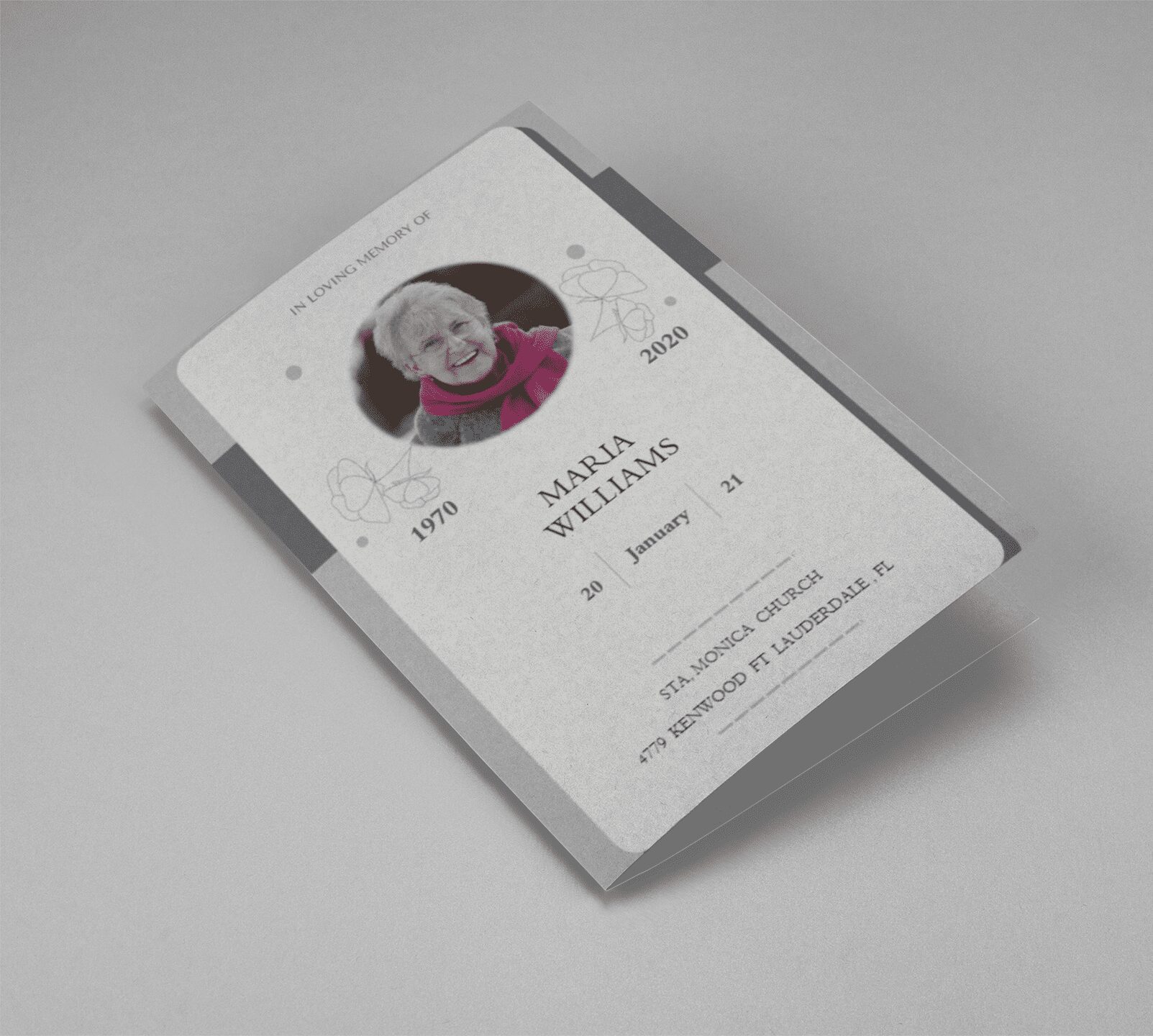
  • Cover Page: Usually includes a photo of the deceased, their name, birth, and death dates.
  • Order of Service: A detailed outline of the events during the service, including hymns, readings, and eulogies.
  • Obituary: A brief biography of the deceased, highlighting their life and achievements.
  • Photos: Personal photographs that celebrate the life of the deceased.
  • Thank You Notes: Messages of gratitude to those who supported the family during their time of loss.

Why are Funeral Programs Important?

Funeral programs serve several important purposes:

  • Guidance: They provide attendees with a clear outline of the service, ensuring that everyone knows what to expect.
  • Memory Keepsake: They serve as a lasting keepsake for attendees, helping them remember and honor the deceased.
  • Personal Touch: They allow families to add a personal touch to the service, making it unique and meaningful.

How to Create a Funeral Program

Creating a funeral program can be a simple and straightforward process. Here are the steps to follow:

  1. Gather Information: Collect all the necessary information, including details about the service, photos, and personal notes.
  2. Choose a Template: Select a funeral program template that fits the tone and style of the service.
  3. Design the Program: Use a word processing or design software to lay out the program. Ensure that it is visually appealing and easy to read.
  4. Print and Distribute: Print enough copies for all attendees and distribute them at the service.

Funeral Program Templates

Using a template can simplify the process of creating a funeral program. At QuickFuneral.com, we offer a variety of customizable funeral program templates to help you create a beautiful and respectful program for your loved one.

Funeral programs are a meaningful way to honor and remember your loved one. By including key elements and personal touches, you can create a program that serves as a lasting tribute. For more information and templates, visit QuickFuneral.com.

Back to Top
Product has been added to your cart
Compare (0)